
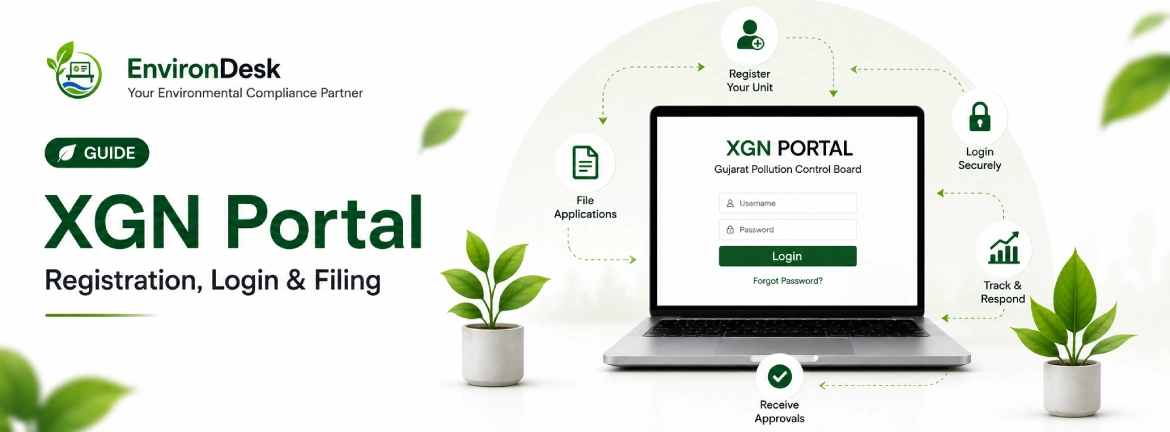
XGN is where every GPCB consent, authorisation and return in Gujarat is filed. How to register a unit, log in, raise CTE and CTO applications, clear queries.
In Gujarat, you do not walk a consent application into a GPCB office any more. You file it on XGN — the eXtended Green Node — the state's online portal for consents, authorisations, returns and the correspondence around them. If you deal with GPCB at all, XGN is the desk you sit at.
This guide is the practical version: how to register a unit, log in, raise the right application, and get through scrutiny without the self-inflicted delays that turn a two-month approval into a six-month one.
What XGN actually is
XGN is GPCB's single-window system for environmental clearances in Gujarat. Everything that used to be a physical file now runs through it: Consent to Establish (CTE), Consent to Operate (CTO), hazardous waste authorisation, amendments, renewals, the annual returns, and the scrutiny queries an officer raises against any of them.
The important mental model is that XGN is built around your unit profile, not around individual applications. Your products, capacity, water balance, category and location live on that profile, and every application you raise inherits them. Get the profile right and applications are quick. Get it wrong and every application carries the same error forward.
Registering a unit on XGN
Registration creates the unit profile that everything else hangs off. Do it once, carefully — a duplicate or malformed profile is painful to unwind later.
- 1
Create the login
Register with the unit's details and a working email and mobile number — XGN sends application status and query notifications to both, so use ones that are actually monitored, not a personal number that leaves with an employee.
- 2
Build the unit profile
Enter the legal name, plot/GIDC address, products with capacities, raw materials, water balance and the CPCB category. These must match your project reality, because scrutiny checks them against your CA certificate, electricity draw and site.
- 3
Attach the constitution documents
Company/firm registration, PAN, plot ownership or GIDC lease, factory licence and Udyam registration where applicable. These rarely change, so getting them in cleanly at registration saves re-uploading on every future application.
Logging in and finding your way around
Once registered, you log in with the unit credentials. Consultants managing many clients keep a controlled record of which login maps to which unit — losing an XGN credential means losing the thread of every application filed under it. The dashboard lists your applications by status: draft, submitted, under scrutiny, query raised, and granted.
Raising the right application
XGN separates applications by type, and picking the wrong one costs you a full cycle. The three you will raise most often:
| Application | When you raise it | Depends on |
|---|---|---|
| CTE (Consent to Establish) | Before you build or expand a unit | An approved project; EC first if the project needs it |
| CTO (Consent to Operate) | Once the unit is built and pollution-control equipment is installed | A valid CTE |
| HW Authorisation | If you generate, store or dispose of hazardous waste | Usually filed with, or alongside, CTO |
Most operating units renew Water consent, Air consent and hazardous waste authorisation together in one cycle, because their validity is aligned to the same consent order. For the mechanics of a renewal specifically — timing, documents, fees — see our complete guide to CTO renewal in Gujarat.
What you upload, and how
XGN is a document system as much as a form. Scrutiny officers judge a file partly on whether they can read it. A legible, correctly named upload set moves faster than a complete-but-unreadable one.
- Scan documents to clear PDF — a phone photo of a smudged ETP report is a query waiting to happen
- Name files for what they are ("Form-V-2025-26.pdf"), not "scan_0043.pdf"
- Match every figure on the form to the figure in the supporting document — capacity, investment, water balance
- Attach the fee challan against the correct capital-investment slab in force on your filing date
- Keep NABL lab reports current — twelve months of ETP/STP and stack monitoring, not last year's
Scrutiny, queries and the site inspection
After submission the file goes to scrutiny. The officer verifies completeness, may raise queries through the portal, and — for most CTE and CTO applications — schedules a site inspection. The portal is the channel for all of it. Answer queries there, promptly, with documents rather than explanations.
- Submitted — the application is in the queue against your unit profile.
- Under scrutiny — an officer is reviewing completeness and consistency.
- Query raised — respond on the portal immediately; the clock is against you.
- Inspection — expect a site visit; your ETP running, logbooks current, display board accurate on the day.
- Granted — download the consent order and read the conditions, because they set the terms of your next renewal.
XGN mistakes that stall a file
- Duplicate profiles. Renewing as a new unit instead of against the existing profile. It fragments your history and confuses scrutiny.
- Dead contact details. The notification email or mobile belongs to someone who has left, so query alerts go unseen until the consent has lapsed.
- Stale profile data. A new product, higher capacity or an extra boiler that was never disclosed, so the profile no longer matches the factory.
- Illegible uploads. Officers query what they cannot read. A clean scan set is the cheapest speed-up available.
- Letting queries sit. The single biggest cause of a lapsed consent. Nothing moves until you answer, and your expiry date does not wait.
The short version
Register once, cleanly, against a unit profile that matches reality. Use contact details someone actually watches. File the correct application type early, upload documents an officer can read, and reconcile your numbers before scrutiny does it for you. Then check the portal for queries on a schedule — because on XGN, a query you did not notice is a consent you are about to lose.
If the part you cannot guarantee is "someone checks the portal in time," that is exactly the gap software closes. Track every consent and authorisation deadline somewhere that chases the owner, rather than somewhere they have to remember to open.
Get the free GPCB compliance checklist
Every clearance a Gujarat factory needs, with document lists and renewal timelines. 12 pages, no charge.
Vishal Mevada
Co-founder, EnvironDesk
Vishal spent nine years running environmental compliance for factory clients across Gujarat's GIDC estates before starting EnvironDesk. He has filed more CTO renewals than he cares to count.
General information, not legal advice. Environmental regulation changes, and how a rule applies depends on your unit's category, location and consent conditions. Verify anything decision-critical against the current GPCB or CPCB position, or take professional advice.
Related reading
All articles → Guide8 min read
Complete Guide to CTO Renewal in Gujarat (2026)
How to renew your Consent to Operate with GPCB: when to apply, every document you need, the XGN process step by step, fees, and what happens if your CTO lapses.
Read more Checklist7 min read
GPCB Compliance Checklist for New Factories
Every environmental clearance a new Gujarat factory needs, in order: CTE, EC, CTO, hazardous waste authorisation and the returns that follow.
Read more